
Desk Setup Tips for Focus and Comfort: Create Your Ideal Workspace
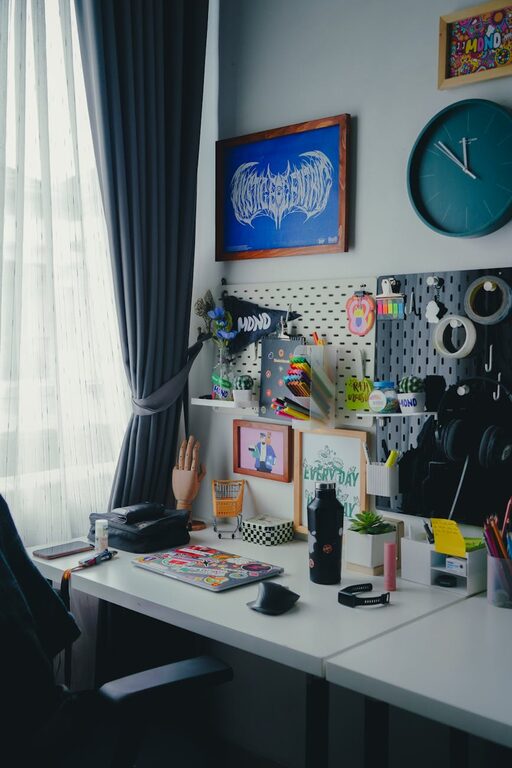
Creating a workspace that supports both focus and comfort can make a significant difference in your productivity and overall well-being. Whether you work from home, in an office, or a creative studio, having the right desk setup is essential. In this post, we’ll explore practical tips and ideas to help you design a desk setup that keeps you comfortable and fully engaged throughout your workday.
Why Desk Setup Matters
Your desk setup isn’t just about aesthetics; it influences your posture, energy levels, and ability to concentrate. An ergonomic and organized workspace can reduce physical strain, minimize distractions, and create an environment where you’re motivated to work.
Choosing the Right Desk and Chair
Invest in an Ergonomic Chair
Comfort starts with your chair. Look for one that supports your lower back, allows you to adjust height, and encourages good posture. Features to consider include:
– Adjustable seat height
– Lumbar support
– Swivel and tilt functions
– Breathable fabric or mesh
Desk Height and Size
Your desk should be at a height where your forearms rest comfortably parallel to the floor when typing. Standard desk height is around 28 to 30 inches, but adjust based on your chair height and body size.
Also, choose a desk with enough surface area to hold your essentials without clutter, allowing space for writing or using multiple devices.
Monitor Placement and Screen Setup
Position your monitor directly in front of you, about an arm’s length away. The top of the screen should be at or slightly below eye level to prevent neck strain.
If you use multiple monitors, arrange them so you don’t have to turn your head frequently. Using a monitor stand or adjustable arm can help you customize height and angle.
Keyboard and Mouse Tips
Place your keyboard and mouse close enough to avoid overreaching. Keep wrists straight and level with your forearms while typing. Using a keyboard tray or wrist rest can improve comfort.
Consider wireless devices to reduce cable clutter, but choose ones that offer good ergonomics and responsiveness.
Lighting for Focus and Comfort
Good lighting reduces eye strain and boosts alertness. Natural light is ideal, so position your desk near a window if possible. To avoid glare on your screen, place monitors perpendicular to windows.
Add layered lighting such as adjustable desk lamps for focused task lighting. Warm, soft lights are soothing, while cooler lights can enhance concentration.
Organizing and Decluttering Your Desk
A tidy desk supports a tidy mind. Use organizers, trays, or drawers to keep essentials in place. Regularly clear unnecessary items to maintain a clean environment.
Try these tips for organization:
– Use cable management sleeves or clips
– Keep only daily-use tools on your desk
– Store documents in labeled folders
– Add small storage boxes for stationery
Personalize Your Workspace
Adding personal touches can make your workspace inviting without causing distraction. Consider:
– A small plant to add greenery and improve air quality
– Inspirational quotes or artwork
– Functional accessories like a stylish pen holder
Just keep personalization minimal to maintain focus.
Incorporate Movement and Breaks
Even the best setup needs breaks. Consider using:
– A sit-stand desk converter to alternate between sitting and standing
– Timers or apps that remind you to stretch or take micro-breaks
– A comfortable floor mat if standing
Moving regularly reduces discomfort and improves circulation.
Maintain Good Posture
Proper posture helps prevent back and neck pain. Sit with your feet flat on the floor, knees at about 90 degrees, and back fully supported by your chair.
Keep shoulders relaxed and avoid leaning forward. If needed, use a lumbar cushion for extra support.
Use Noise Management Strategies
If noise distracts you, try strategies such as:
– Noise-cancelling headphones
– Soft background music or white noise
– Soundproofing elements like rugs and curtains
This helps create a focused atmosphere.
Final Thoughts
Designing a desk setup that promotes focus and comfort is a step toward better work habits and improved well-being. Start with the basics—ergonomic furniture, proper monitor placement, and adequate lighting—and then customize your space with organization and personal touches. Remember, the best workspace is one that feels good and helps you do your best work every day.
Try these desk setup tips and enjoy a more productive and comfortable work experience!